The platform

A complete ledger, with Penny inside.

Everything a firm needs to keep a client's books, from statement to tax return. Every tool Penny uses is a feature you can open yourself.

What the platform does

Six areas. One set of books.

Books & close

The monthly close, from the statement to a finalized month you can reopen.
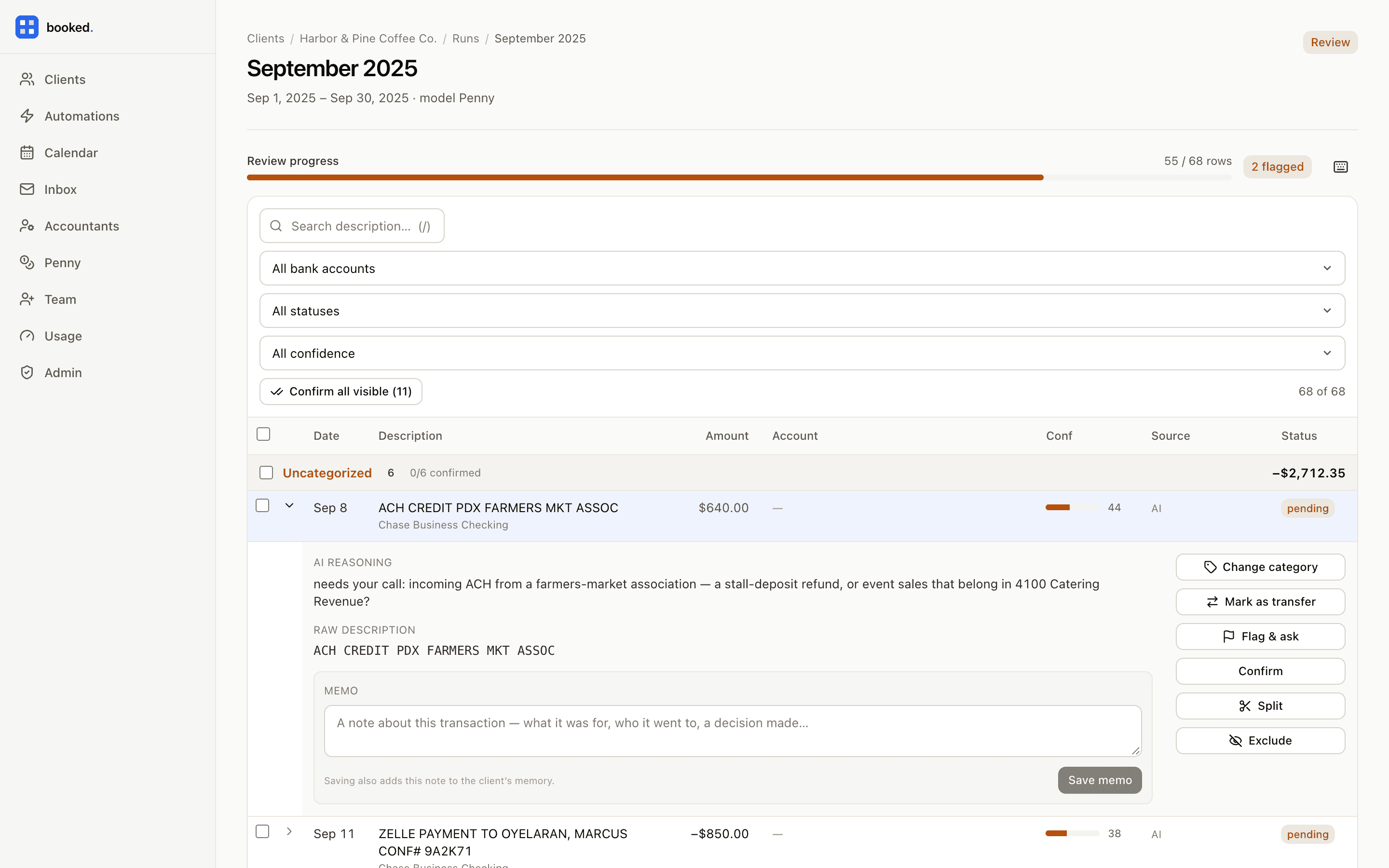
  • Statement extraction

    Every line from bank and card PDFs, including scanned pages and handwritten check payees.

  • Bank feeds

    Connect accounts through Plaid and pull transactions as they post.

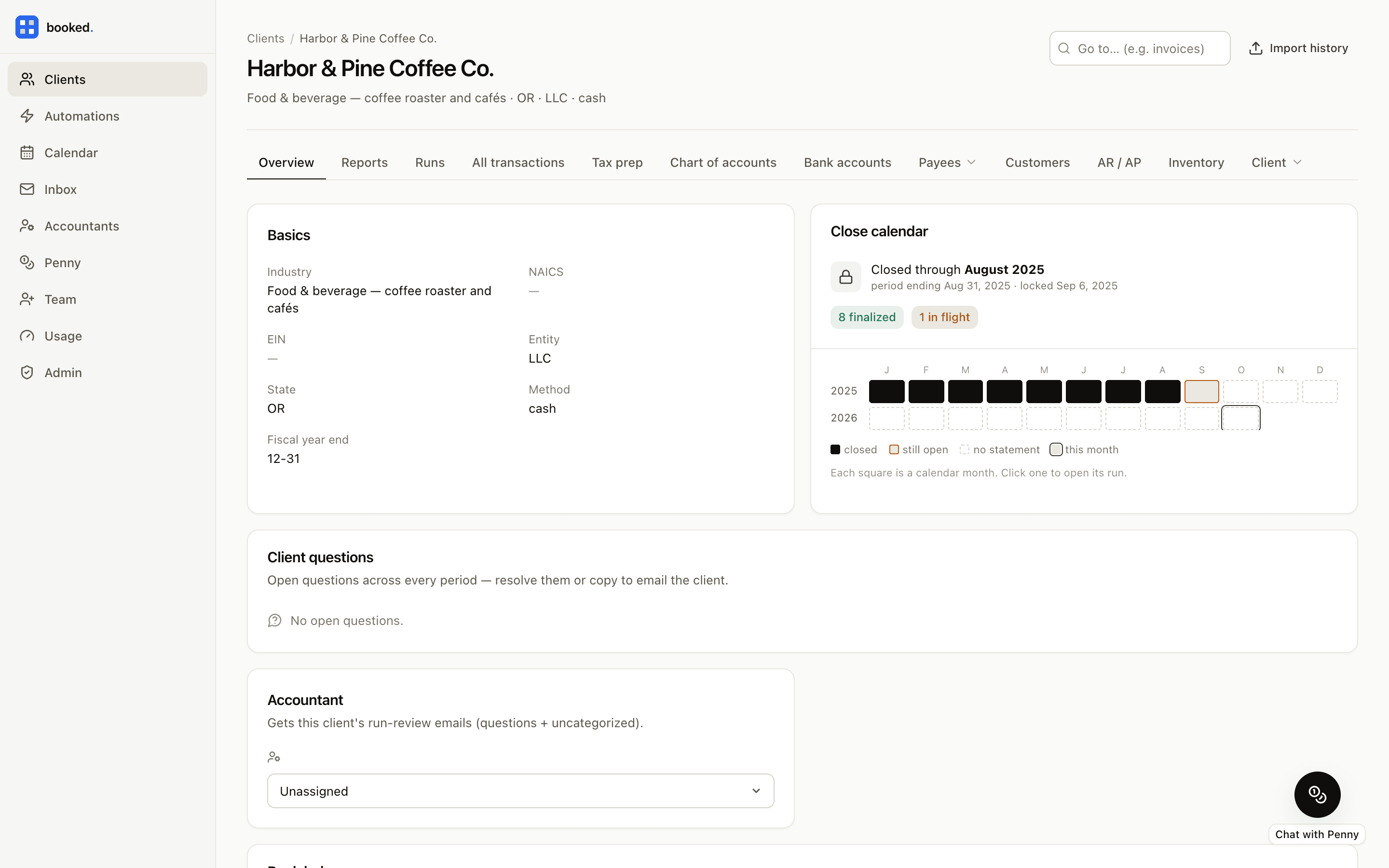
  • Monthly runs with review gates

    Each month moves from extraction review to review to finalized, and any month can be reopened.

  • Rules, vendor mappings, and transfer matching

    Recurring lines categorize before anyone looks, and a card payment is never booked as an expense.

  • Journal entries and reconciliation

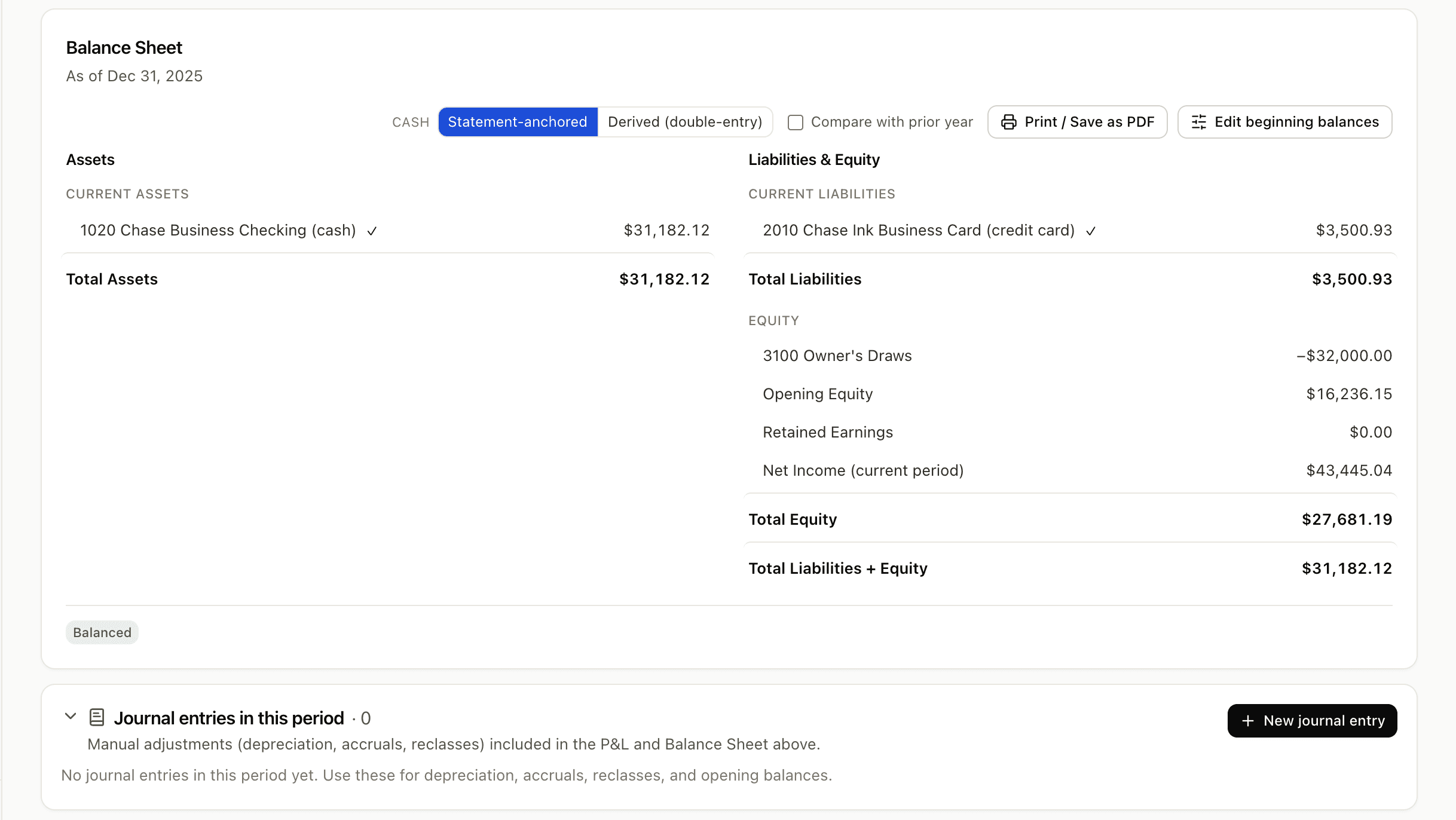
    Entries and templates on a double-entry balance sheet, with a bank reconciliation tie-out grid.

  • Fixed assets and inventory

    An asset register with book depreciation, inventory at average cost with demand forecasting, cash or accrual.
Reporting

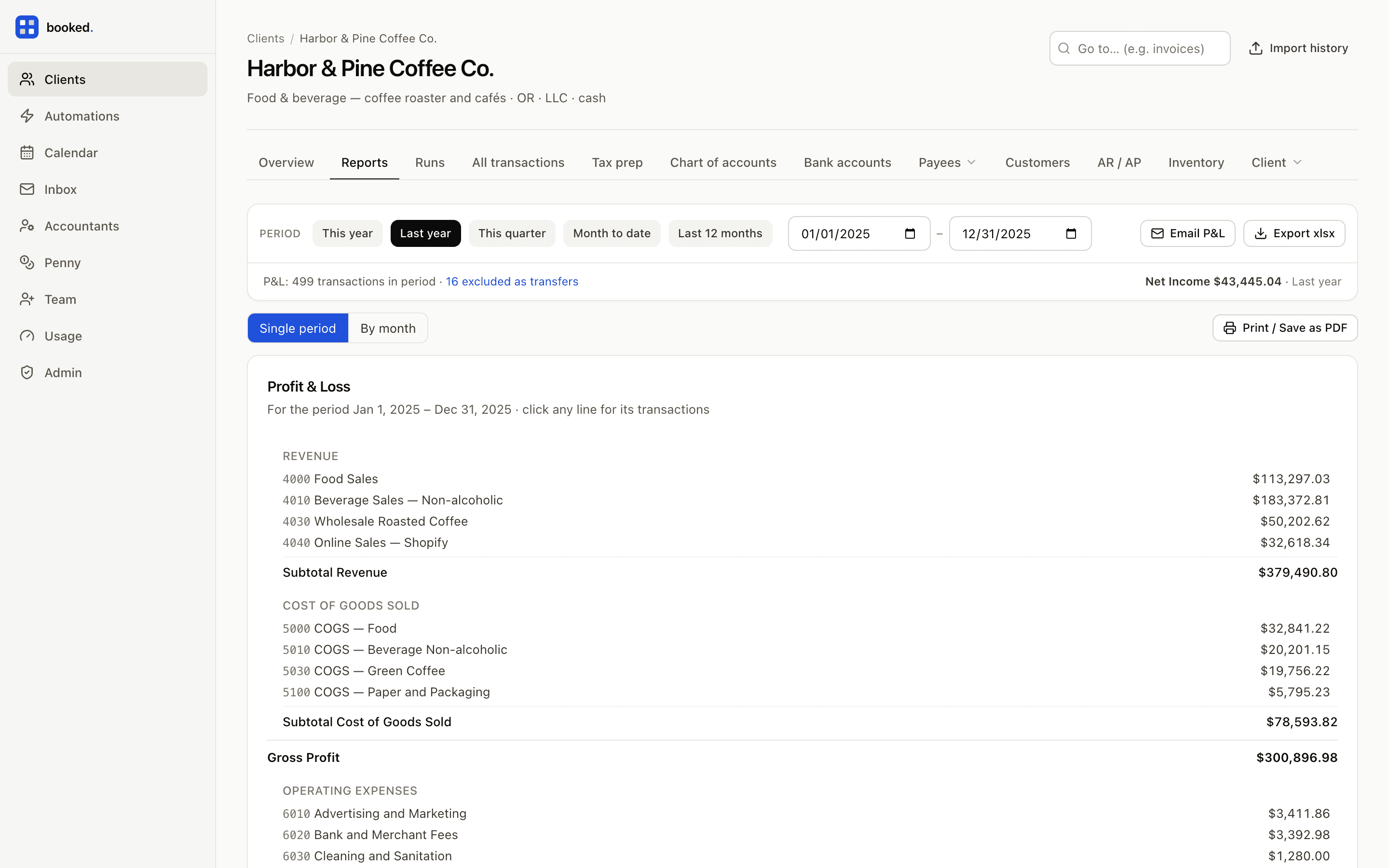
The statements a client expects, plus the notes that explain them.

  • Financial statements

    P&L, balance sheet, and cash flow, with period comparisons.

  • Aging and ledgers

    Receivables and payables aging, and a ledger for any account.

  • Exports

    Excel, PDF, and Word, formatted to hand to a client.

  • Month-end exception report

    What moved, what is unusual, and what to look at before you sign off.

  • Close commentary and client questions

    A plain-language note on the month, and the questions only the client can answer.

Clients & onboarding

Four ways in, and a client record that keeps learning.

  • QuickBooks Online import

    Chart of accounts, general ledger, and P&L from your exports, with a tie-out report.

  • Prior-year workbook import

    Last year's Excel plus statement PDFs; the prior year teaches this one.

  • Smart onboarding

    Penny reads the business identity off the first statement and sets the client up.

  • Google Drive automations

    A folder per client; new statements are pulled on a schedule and processed.

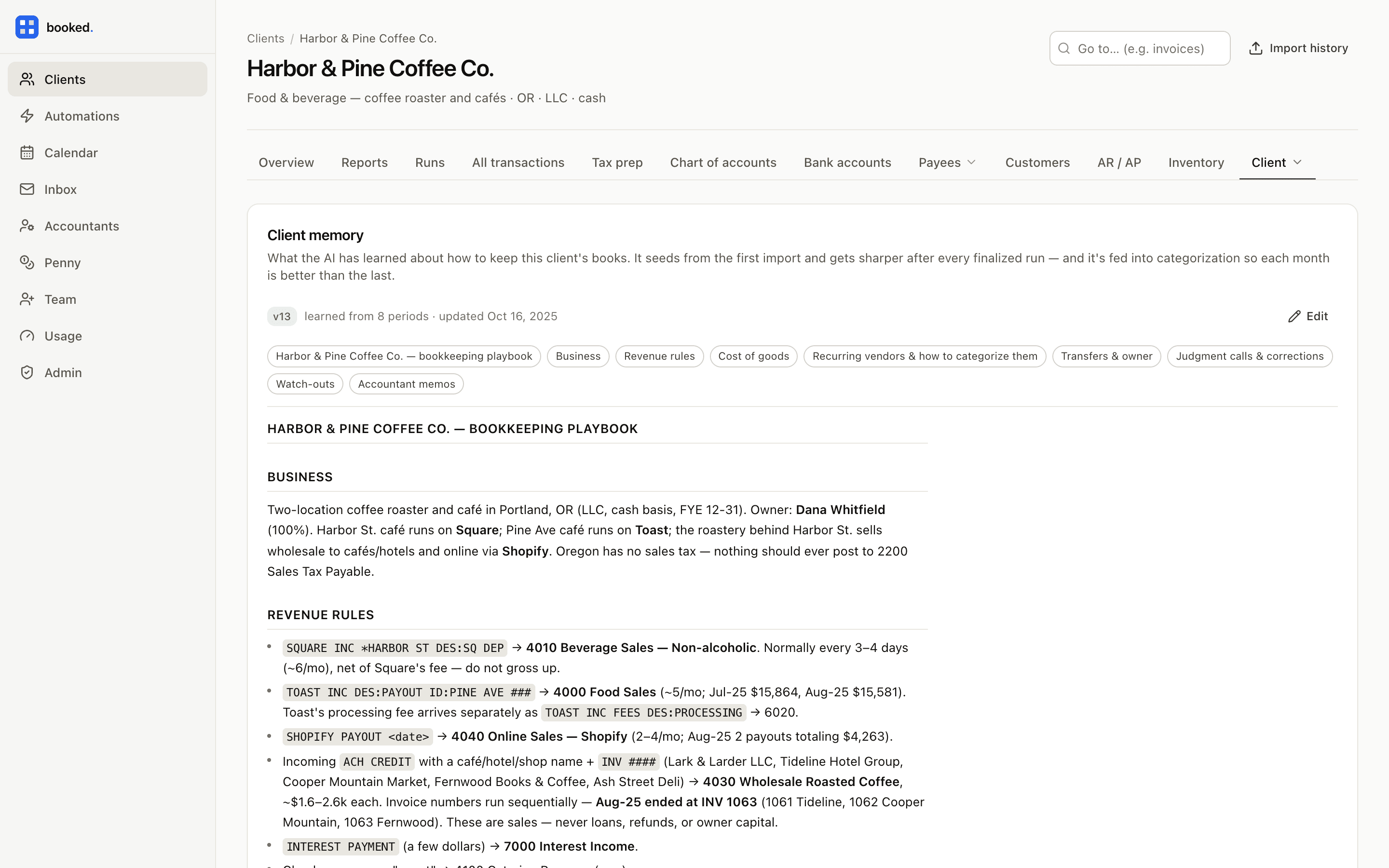
  • Profile and living memory

    Owners, recurring vendors, transfer maps, and a playbook that improves after every close.

  • Contacts, notes, and mail

    CRM-style records so a client's history lives next to their books.

Invoicing & payments

Getting the client paid, on the same ledger as everything else.

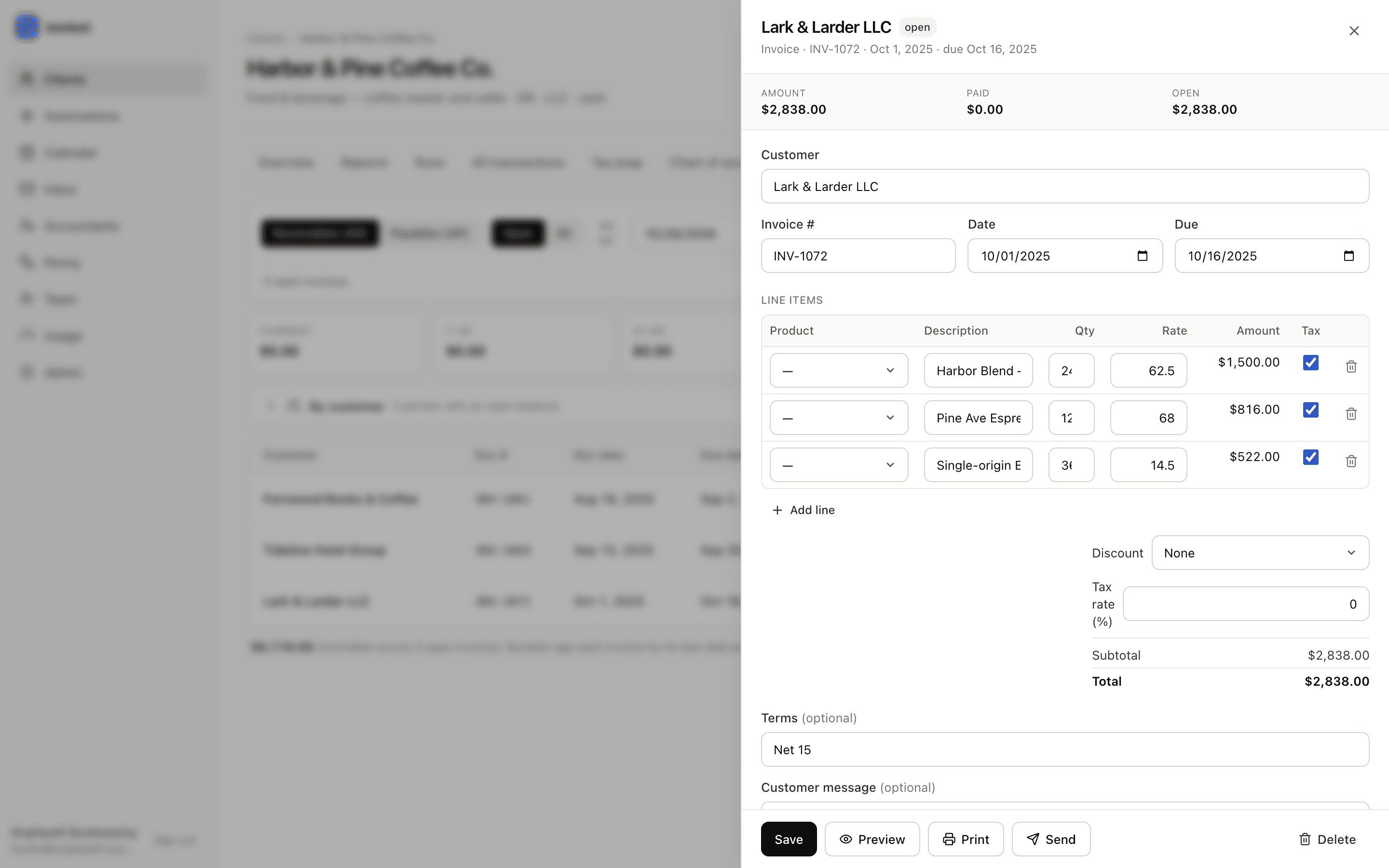
  • Invoices

    Per-client templates with logo, tax, and discounts.

  • Pay by card

    Clients pay online through Stripe, and the payment lands against the invoice.

  • Customers and vendors

    Customer and vendor records that feed categorization, aging, and 1099 tracking.

  • Purchase orders

    Raise, send, and receive against inventory.

Tax & compliance

Year-end, worked up from books that already tie.

  • Tax prep

    1120, 1120-S, 1065, and Schedule C from the books, with per-owner K-1s.

  • Form 4562 from the asset register

    Depreciation flows from the fixed-asset register straight to the return.

  • Optimization notes

    Penny annotates the return with what to look at before filing.

  • 1099 tracking

    Subcontractors matched during categorization, W-9s on file, a year-end export.

  • PayrollComing soon

    Embedded payroll with Check: booked. runs it, Check files the taxes and moves the money.

Firm & portal

The whole roster in one place, in your firm's name.

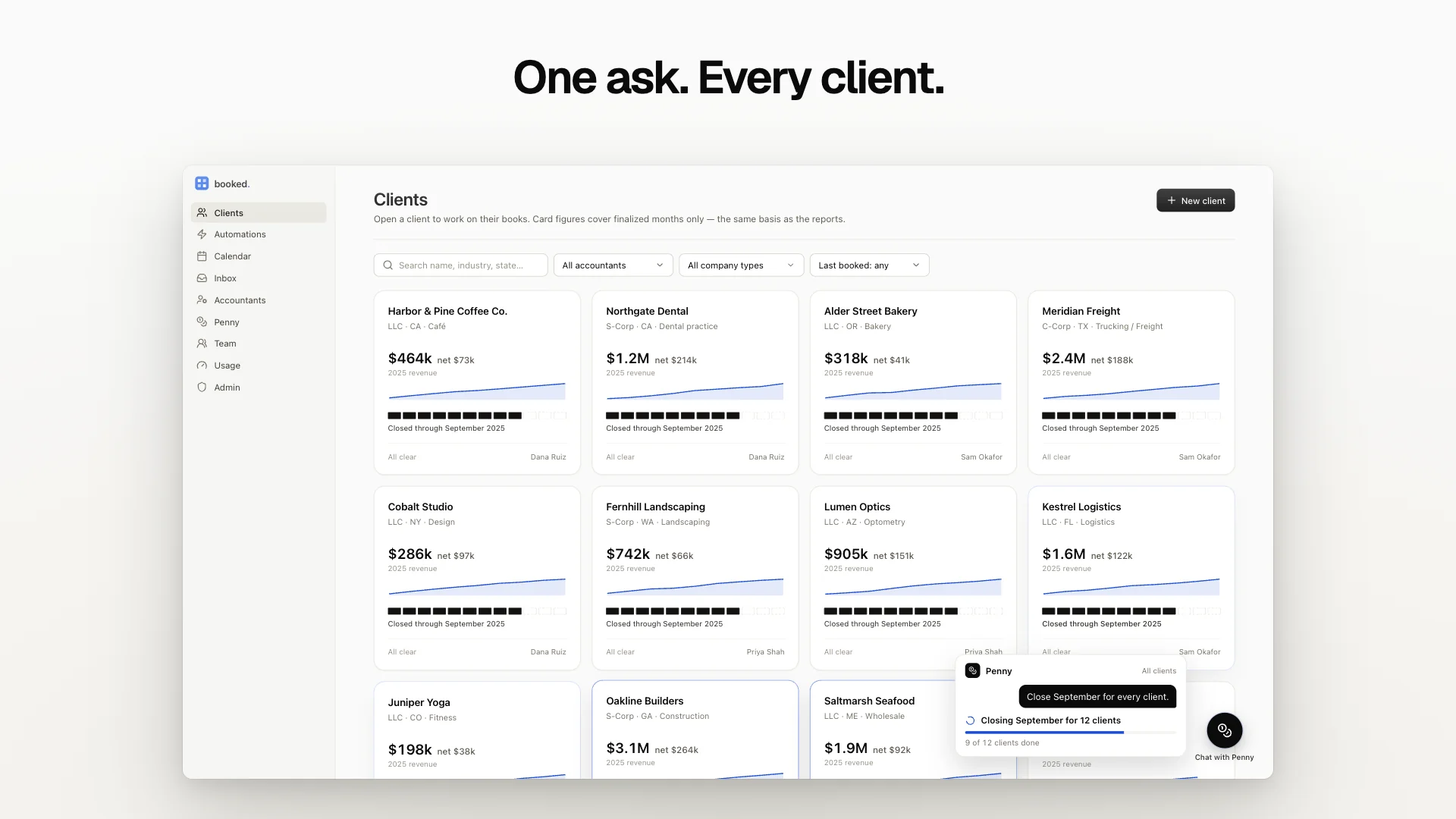
  • Multi-client dashboard

    Every client's state at a glance: open, waiting on you, done.

  • Close calendar

    Deadlines and obligations across the roster.

  • Team seats and roles

    Invite the firm and control who reaches which clients.

  • Usage dashboard

    Penny's monthly usage per client, in plain view.

  • Client portal

    White-label, in your firm's name; reports publish straight to it.

  • Chrome side panel

    Penny beside any tab in the browser.

Integrations

Connected where it counts.

Connections are made by a person and can be removed by one. Penny reads from them; she never connects or disconnects them herself.

  • Live

    QuickBooks Online import

    Bring a client over from your QBO exports with a tie-out report.

  • Live

    Plaid

    Bank and card feeds that post straight into the month.

  • Live

    Google Drive & Gmail

    Statements pulled from a folder on a schedule; reports emailed from your firm's address.

  • Live

    Stripe payments

    Clients pay invoices by card; payments land on the ledger.

  • Coming soon

    Check payroll

    Embedded payroll: booked. runs it, Check files and pays.

  • Coming soon

    Xero

    Import a client from Xero the way you can from QuickBooks Online.

Built on a real ledger

Every action lands on a ledger you can audit.

booked. keeps double-entry books. Every categorization, transfer, and journal entry posts to a real chart of accounts, so the balance sheet is derived from the ledger rather than typed into it.

Each month reconciles to its statement on a tie-out grid, and a month that does not tie cannot be finalized. When it is, the audit log holds every change inside it — who, what, when, and why, Penny's included — and the month can be reopened if the facts change.

JE-0142Posted

Book depreciation, December 2025

Dec 31, 2025 · Harbor & Pine Coffee Co. · Straight-line, from the asset register

AccountDebitCredit
6400 Depreciation expense640.00—
1510 Accumulated depreciation—640.00
TotalsBalanced640.00640.00
Posted by
Penny
Approved by
Brightpath Bookkeeping
Audit log
December 2025

Early access

One platform for the whole roster.

booked. is pre-launch. Join the list for early access and founding pricing.

Free to join the early-access list — no credit card.